
 Log in
We'll Move Your Paycheck for You
Chime’s app offers an automated way to switch your payroll direct deposit. It’s easy, simple, and secure.
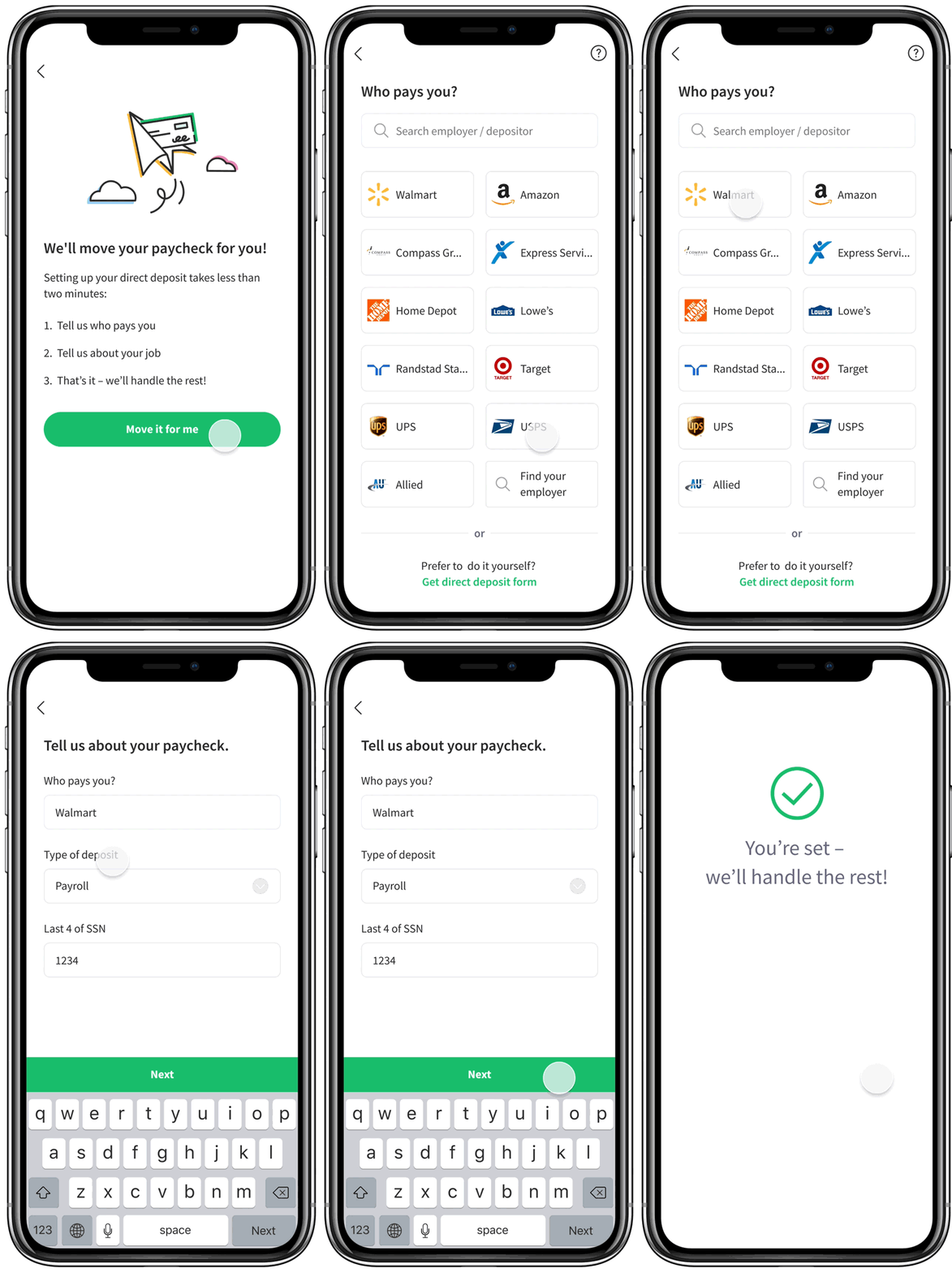
All you have to do is provide your employer information, and we will fill in and send a direct deposit form with your Chime account details directly to your employer.
Why should you switch?

Switching is safe and secure
Our top priority is protecting our members – that starts with keeping your information and money secure.
We take the necessary steps to keep your information protected when you set up direct deposit. Our process follows guidelines from the National Institute of Standards and Technology, the Office of the Comptroller of the Currency, and more.
How It Works
Download or open the app to make the switch in 3 steps - it takes about two minutes:

Tell us who pays you

Tell us about yourself

That’s it — we’ll take care of the rest!
Ready to make the switch?
It’s easy, simple, and secure.
How long would this process take?
It only takes about 2 minutes to set up. We just need a few details about you and your employer, and then we will take care of the rest.
After that, It typically takes 1-2 pay cycles to get your first direct deposit into your Chime Checking Account. So, you should expect to see your first Chime-deposited paycheck in 1-2 pay cycles.
- What happens to my direct deposit in the meantime?
While your direct deposit switch to Chime is in progress, you can expect to continue to receive your paycheck as you currently receive it.
- What information do I need to give?
In order to process the request accordingly, we need some basic information about your employer/payer. This includes the payer’s name and address.
Sometimes, an employer/payer will require more information in their particular direct deposit form. If that’s the case, we will ask you for that information too, so you don’t have to worry about whether or not your switch form is being filled out fully and accurately.
We will never ask for more information than is required by your current employer/payer in order to switch your direct deposit request.
How will I know the process is complete?
Once the process is complete, we will send you a notification letting you know that your direct deposit is available in your Chime Checking Account. You will also be able to see your direct deposit on the list of your Checking Account transactions.
Does that impact my credit score?
No, credit checks are not performed when setting up direct deposit.