
Key takeaways
Chime Card™ is a secured Chime Visa® Credit Card that helps you build credit with your own money, with no interest charges or annual fees.
When you qualify for Chime Plus or Chime Prime through qualifying direct deposits (see disclosure 1) , you can earn 2% or 5% cash back on a category of your choice (see disclosure 2) when you pay with Chime Card, on up to $1,500 in eligible purchases each month.
Chime Card works with your Chime Checking Account and Secured Deposit Account to give you one Available balance you can use anywhere Visa credit cards are accepted. (see disclosure 3)
Build credit safely with 0% interest, (see disclosure 4) earn cash back, (see disclosure 2) and unlock the best of banking – all in one card.
Chime Card has safe credit-building features you love, access to over 47,000 fee-free ATMs, (see disclosure 5) and cash back on a selected category. (see disclosure 2)
But how does it work, and how can you get one?
What is Chime Card?
Chime Card™ is a secured credit card that helps you build credit (see disclosure 6) with the ability to earn cash back on your spending. (see disclosure 2) Chime Card combines the best features of banking and credit into a single card that you can use anywhere Visa credit cards are accepted.
When you open a Chime Checking Account and add Chime Card, you also get a Secured Deposit Account (SDA). (see disclosure 6) These three accounts work together to give you one Available balance you can see in the app and spend anywhere Visa credit cards are accepted.
Here's what you get with Chime Card:
Cash back. With qualifying direct deposits (see disclosure 1) :
Chime Plus members can earn 2% cash back on eligible Chime Card purchases in a category of their choice, on up to $1,500 in qualifying spend each month. (see disclosure 2)
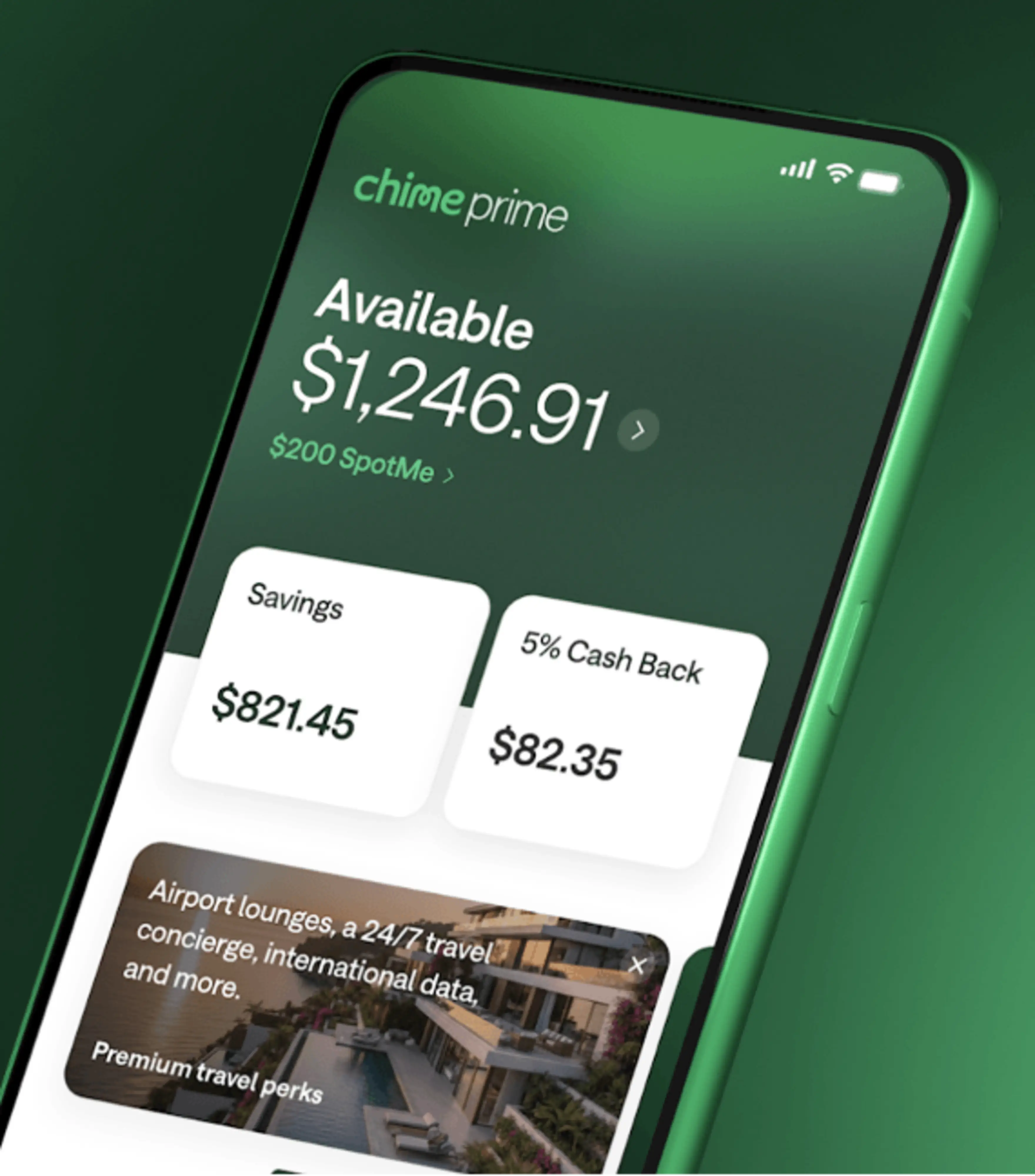
Chime Prime members can earn 5% cash back on eligible Chime Card purchases in a category of their choice, on up to $1,500 in qualifying spend each month (see disclosure 2) plus exclusive travel perks, like Priority Pass membership. (see disclosure 7)
Build credit safely. Chime Card helps you to build credit history using your own money. There are no interest charges (see disclosure 4) or annual fees, no minimum security deposit requirements, (see disclosure 3) and no credit check needed to apply.
Access to cash. If you need cash, Chime Card allows withdrawals at more than 47,000 fee-free ATMs nationwide. (see disclosure 5)
One balance. Chime simplifies money management, with a single view of your Available balance in the mobile app. You can choose to spend that Available balance with credit or debit.
How to get Chime Card
It's easy to get the cash back card you can bank on. Here's how to get Chime Card.
Sign up for Chime. You'll need to open a Chime Checking account when you get a Chime Card. (see disclosure 8) To open a Chime account, you need to share your personal details and verify your identity, and download the Chime app. Chime accounts are available to people 18 years and older who have a valid U.S. address.
Add Chime Card. After you open your Chime Checking Account, you can add Chime Card from within the Chime app. There's no credit check required.
Wait for your Chime Card to arrive. It usually takes 7 to 10 business days for your physical Chime Card to arrive. In the meantime, you'll have access to a virtual Chime Card and a virtual debit card that you can use to shop online.
Fund your account. When you get Chime Card, you get a checking account and a Secured Deposit Account. The money you deposit acts as your card's credit limit. (see disclosure 9)
Enroll in direct deposit (Optional). Direct deposit helps you unlock the full benefits of Chime Card, including up to 5% cash back (see disclosure 2) on rotating purchase categories. You can choose to enroll in direct deposit through the Automatic Setup feature in the Chime app, but it is not required to get the card.
How direct deposits can boost your Chime Card rewards:
Chime Plus unlocks:
2% cash back on your chosen spending category like gas, groceries, or restaurants with Chime Card, on up to $1,500 in qualifying spend each month. (see disclosure 2)
Chime Prime unlocks:
5% cash back on your chosen spending category, like gas, groceries, or restaurants with Chime Card, on up to $1,500 in qualifying spend each month. (see disclosure 2)
Two metal premium Chime Card designs. You can choose the onyx metal Chime Card for free, or upgrade to a titanium colored Chime Card for $35 + tax.
Members may be eligible for larger MyPay limits, higher SpotMe limits, and Instant Loans up to a maximum amount displayed in the app (see disclosure 10)
Additional Prime‑exclusive perks and experiences over time, such as Priority Pass membership.
These membership tiers don't change how Chime Card works — they simply increase your cash‑back potential, enhance your card design options, and unlock additional Chime Card travel perks when you qualify through direct deposit.
How does cash back work with Chime Card?
Once you've received Chime Plus or Chime Prime status with qualifying direct deposits (see disclosure 1) , you can start earning cash back on eligible purchases when you pay with Chime Card.
Here's how it works:
Choose a category of your choice. Instead of rotating categories on a fixed schedule, you'll select a monthly spend category in the Chime app's rewards hub. Categories may include everyday expenses like gas, groceries, restaurants, utilities, and more (categories are subject to change — check the app for the latest options).
Earn cash back on up to $1,500 in eligible purchases each month.
With qualifying direct deposits:
Chime Plus members can earn 2% cash back on eligible Chime Card purchases in their selected category, on up to $1,500 in qualifying spend each month. (see disclosure 2)
Chime Prime members can earn 5% cash back on eligible Chime Card purchases in their selected category, on up to $1,500 in qualifying spend each month. (see disclosure 2)
Track rewards in the app.
You can see how much cash back you've earned for the month and which purchases qualified directly in the Chime app's rewards hub. Rewards are issued on a recurring basis (for example, weekly), and you'll receive a statement summary that shows your total earned cash back.
Cash back earned with Chime Card is separate from Chime Deals, which means you can stack rewards and earn even more when offers line up. (see disclosure 11)
How to view your rewards
You can view your cash back and your current category of choice in the Chime mobile app:
Log in to the Chime app and navigate to the rewards section.
Under your account balance, you'll see how much cash back you've earned for the current period.
Tap your cash back total to:
See your current category of choice.
Review your eligible transactions in that category.
Preview upcoming categories and offers so you can plan your spending.
The rewards hub is the best place to stay on top of your category, see how close you are to the $1,500 monthly cap on qualifying spend, and find new ways to earn.
The rewards hub lets you stay connected to your cash back earnings and view current offers. You can also get a preview of what's coming soon, which can help you plan future purchases for maximum cash back.
How to use Chime Card
You can use your Chime Card to make purchases anywhere Visa credit cards are accepted, including in-person or online. To get started, you'll first need to fund the card.
Fund your card
You can add funds to your account in a few ways:
Set up direct deposit.
Move money with Apple Pay®.
Transfer money from a debit card (with no fees!)
Send money using a payment app like PayPal® or Venmo®.
Deposit cash (see disclosure 9) at over 100,000 locations – just look in the Chime app.
When you log in to the Chime app, you'll see your single account balance view. This balance reflects the total money you have in your Chime account, which is the amount that's available to spend with your Chime Card. For example, if your "Available" balance is $1,000, your available credit limit for Chime Card is also $1,000.
Your Available balance includes funds in your Secured Deposit Account that you can spend using your debit card or Chime Card (see disclosure 12) . It does not include balances in Savings accounts. Whenever you spend using your debit card or Chime Card, the transaction amount is deducted from the Available balance.
Chime Card only allows you to spend the money you have available, so staying within your "credit limit" is easy.
Spend to build credit
When you spend with Chime Card and make on-time payments, you can build credit over time. (see disclosure 6) Chime reports your Chime Card payment activity to all three credit bureaus: TransUnion®, Experian®, and Equifax®.
On-time payments are the most important factor for credit score calculations.
You can build credit with Chime Card when you:
Use your card to make purchases.
Pay your balance on time each month
Turn on the Safer Credit Building feature in your app for automatic on-time payments. (see disclosure 6) Safer Credit Building is an autopay feature. It uses the money you have in your Secured Account to pay off your Chime Card monthly balance in full. This way, your balance is paid on time each month without you needing to do anything.
Still confused about how Chime Card can help you get better credit scores? Check out our guides on how to build credit with Chime and how credit reporting works with Chime Card.
While your Chime Card works at any retailer that accepts Visa credit cards, you have options if you need to use a debit card. You can use your virtual debit card, for example, by adding it to Apple Wallet® or Google Wallet® or using it for online transactions. While your Chime Card can help you build credit when you use it and pay on time, debit card purchases don't build credit. They're another way to spend your Available balance for everyday transactions.
More ways to help improve your credit with Chime
There's a lot you can do with your Chime Card to help improve your credit, aside from using it to develop a positive payment history. Here are some other ways to take control of your credit with Chime.
Check your credit scores for free. Log in to the mobile app to view your FICO® score (see disclosure 13) and track your progress.
Improve your credit scores with Experian Boost®. (see disclosure 14) We've partnered with Experian® to help you improve your scores using bills you already pay through Chime.
Build credit monthly with rent reporting (see disclosure 15) . If you rent, you will soon be able to use your on-time rent payments in the app to help raise your credit score.
Get credit tips tailored to your journey. The Chime app delivers personalized tips and advice to help you navigate your finances as you work to build higher credit scores.
Get your Chime Card today
Chime Card is a rewarding way to build credit (see disclosure 6) and unlock financial progress™. Chime Card provides the tools you need to stay on top of your spending, savings, and budget.
It's fast and easy to get started and unlock the full benefits of Chime.