
Key takeaways
Pay Anyone from Chime® lets you send money instantly,1 even if the recipient isn't a Chime member.
If someone sends you a payment through Pay Anyone, you'll have 14 days to claim the money.
Pay Anyone doesn't charge fees or require you to link an external debit card or bank account, unlike other P2P payment apps.
You're out to dinner with friends and want to chip in your share of the check. Or your kid brother's car breaks down, and you need to send $100 for a tow. You could run to an ATM for cash, but who has time for that?
With Chime's Pay Anyone feature, you can transfer money at lightning speed to anyone – even if they don't have a Chime account. It's just one more way Chime aims to make your financial life easier. But how does Chime's Pay Anyone work? Here's what you need to know.
What is Pay Anyone?
Pay Anyone is a money transfer feature that's built into your Chime Checking Account. With Pay Anyone, you can send money instantly. Pay Anyone money transfers are fee-free, and you can send money to anyone – they don't even need to be a Chime member.
Pay Anyone can replace other money transfer apps you've been using to send cash to friends and family. You can get money where it needs to go, right from your cell phone. And best of all, when we say no fees, we mean no fees for sending or receiving money.
How to Pay Anyone instantly through Chime®
Sending money with Pay Anyone is literally as easy as 1-2-3. Here's how to send money instantly¹ by logging into your Chime Checking Account.
1. Choose who you want to pay
Tap Pay Anyone to find a friend or enter their $ChimeSign®. If you're paying someone who isn't on Chime, you can search your imported contacts. Find people to pay who aren't in your contacts simply by entering their email address or phone number.
H3 – 2. Enter payment details
Plug in the dollar amount you want to send and a note about the payment. You can even add an emoji to put the "fun" in "funds transfer."
H3 – 3. Pay instantly
Once you've double-checked the payment details, just hit Pay to finish the transfer. Chime members get their funds instantly.1 Non‑members have 14 days to enter their debit card info and claim their cash.
Wait… is that it? Yep, that's really all there is to it! We designed Pay Anyone to make sending payments quick and painless.
Transfer amount limits vary based on factors like your account history and activity. You can see your current limits in the Chime app by clicking Profile → Account details → View limits → Pay Anyone with Chime account. You'll just need to make sure you have enough money in your Chime Checking Account to cover the transfer since funds are debited as soon as you hit Pay.
How do I receive money from Pay Anyone?
Receiving money from Pay Anyone is just as easy as sending it. How you access payments depends on whether you're a Chime member. But either way, you can get your funds in just a few taps of the screen.
If you have a Chime Checking Account
When another Chime member sends you money through Pay Anyone, it's deposited into your Chime Checking Account instantly¹. You can even request money from other Chime members if you need to get paid back!
Simply log into the Chime mobile app, tap the Pay Anyone button, and search for the right person. Enter the amount of money you want to receive, and send your request on its way. The person you sent the request to will have 14 days to send the money.
When you're not a Chime member
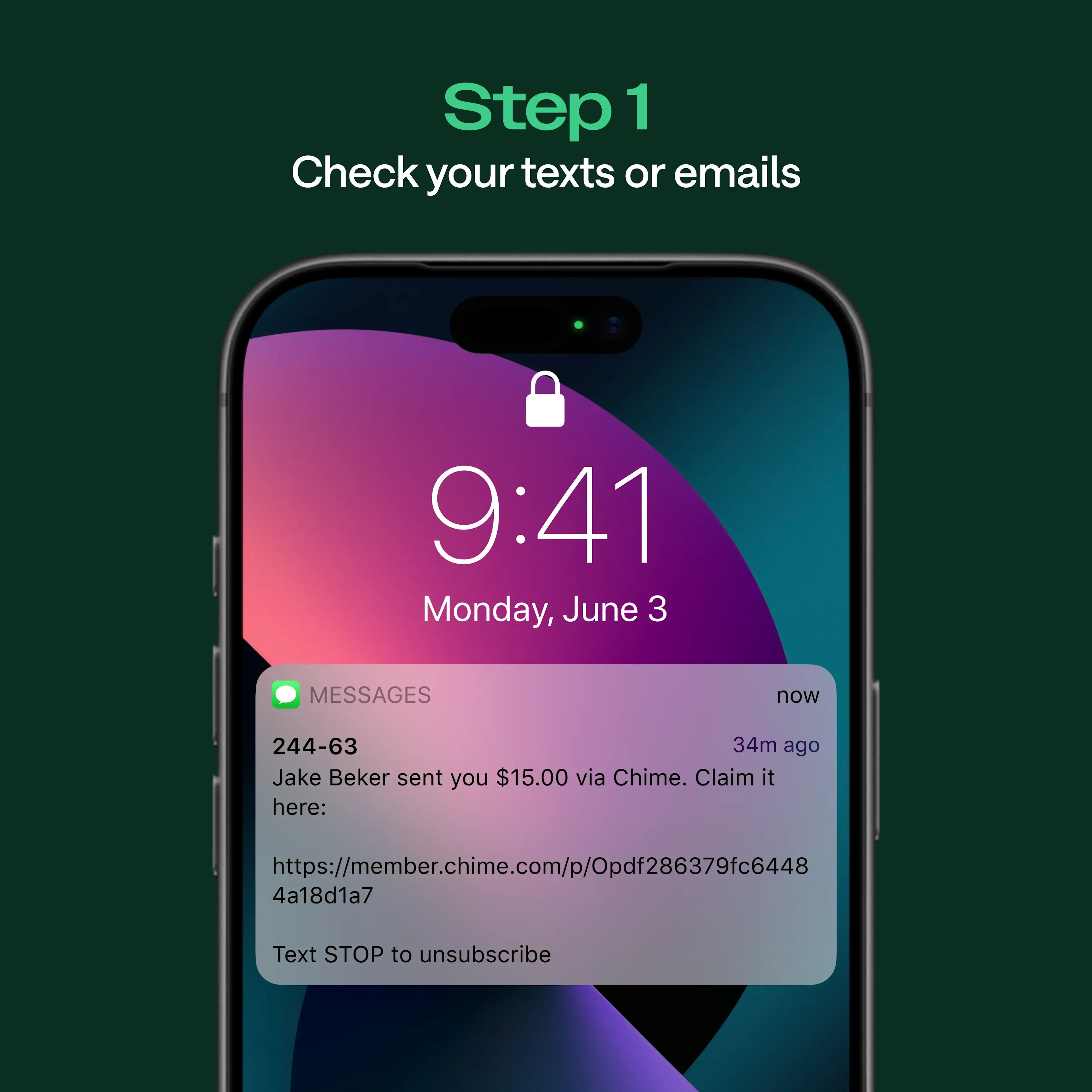
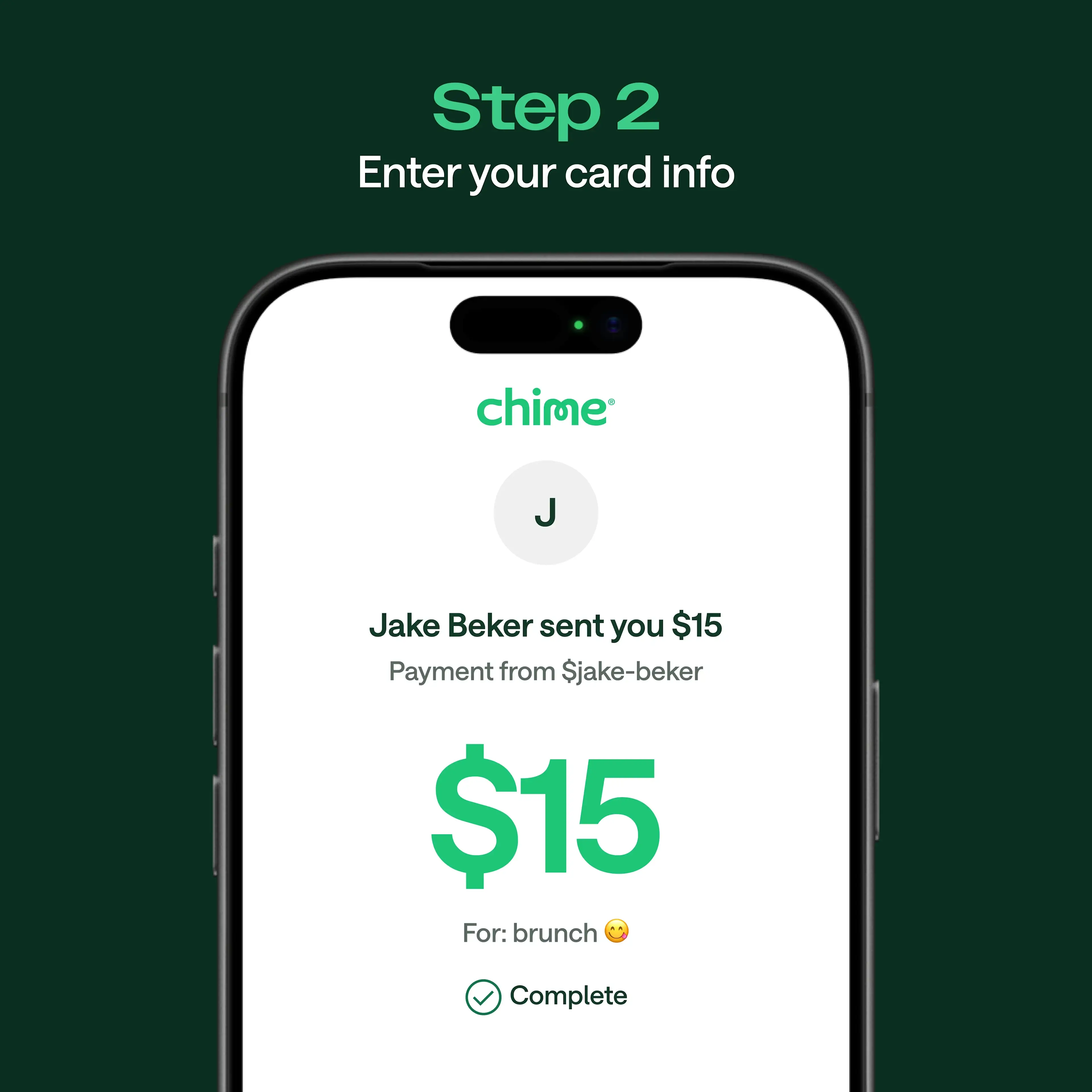
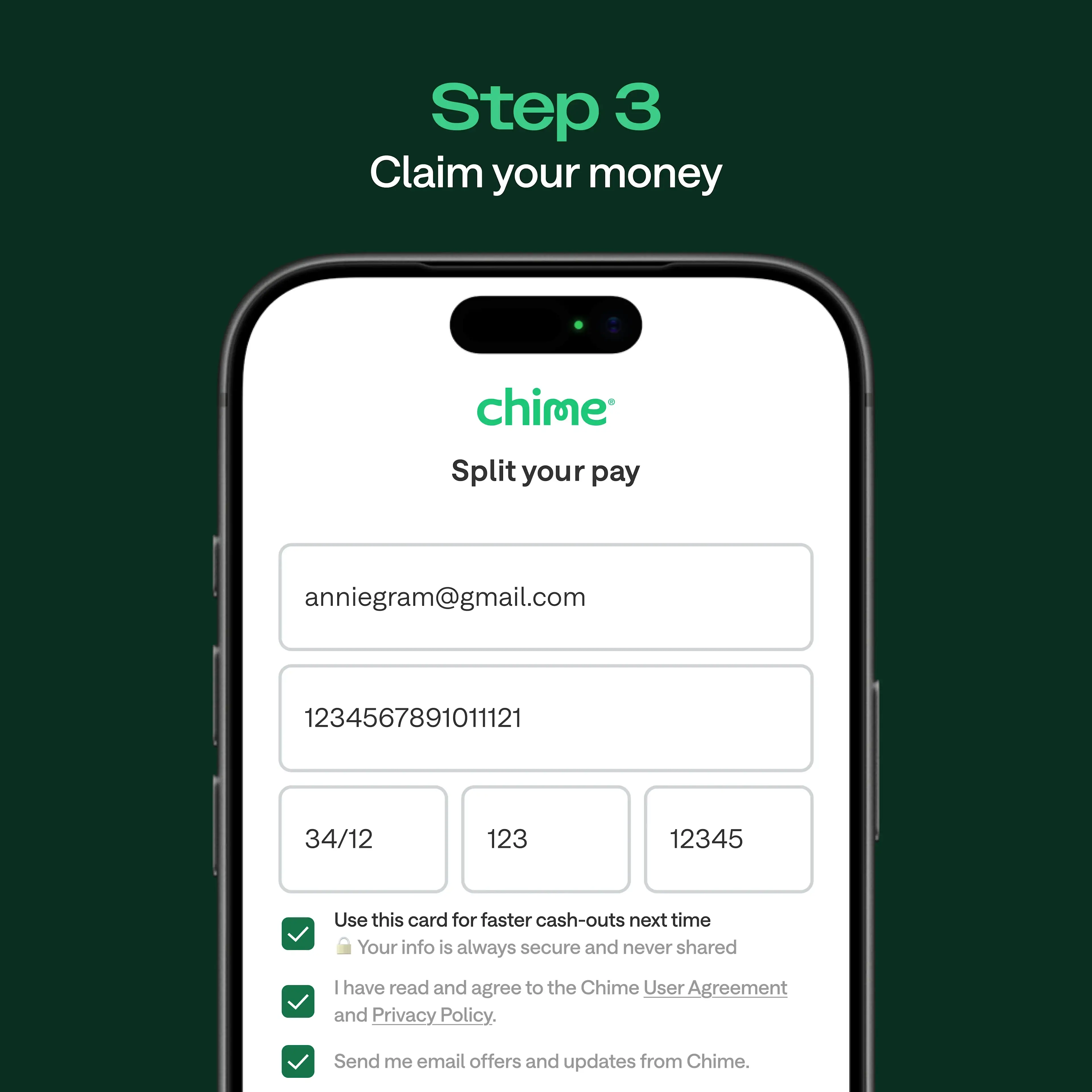
Don't have a Chime account? No problem! When someone sends you a payment through Pay Anyone, you'll get a text or email with a link to Chime's website. All you have to do to collect your money is click the link and enter your debit card information.
You'll have up to 14 calendar days to claim the money before it's returned to the sender's account. The best part? Even if you're not a Chime member, you can cash out right away without a single fee.
And of course, you could always sign up for a Chime Checking Account to start sending money to friends and family in just a few taps.
Safe and secure payments
Payments sent through Pay Anyone are encrypted and protected by multiple layers of security built into the Chime app.
Chime uses two-factor authentication to verify your identity before processing transfers. Pay Anyone also uses industry-standard security measures, including encrypted transfers, to help keep your money safe.
For non-members who receive a Pay Anyone payment, the claim process is also secure. Recipients enter their debit card information through a verified link sent via text or email — no sensitive banking details are shared between sender and recipient.
Chime's Pay Anyone vs. other payment apps
There are plenty of peer‑to‑peer (P2P) apps out there that you can use to send money. And if you're not a Chime member yet, you might even be using some of them. Here's a quick rundown of how Pay Anyone measures up against other money transfer apps.
Pay Anyone vs. Venmo®
Venmo is a mobile wallet app that you can use to send money to friends and family. The main difference is that to transfer money with Venmo, you first need to link it to your bank account, debit card, or credit card. Because Pay Anyone is built into the Chime app alongside your Chime Checking Account, you can send money without downloading a separate app or linking an outside bank account. Recipients don't even need a Chime account to receive funds. All you have to do is log in, select the person you want to send money to, choose an amount, and hit Pay.
With Venmo and many other payment apps, both parties need Venmo or PayPal® accounts in order to send payments. With Pay Anyone, the recipient does not need to download the Chime app or create an account to receive money.
Venmo charges fees to send and receive payments in some situations, while Pay Anyone doesn't. For example, you'll pay a 3% fee on Venmo to send money to people using your credit card, and Venmo also charges instant transfer fees at a rate of 1.75% (with a $0.25 minimum and $25 maximum) if you want your funds deposited to your bank account or debit card right away. Pay Anyone has no fees to send, receive, or cash out.
Pay Anyone vs. Zelle®
Zelle lets you send money instantly from participating bank accounts to other Zelle users using an email address or phone number. Chime does not support Zelle transfers.
Zelle doesn't charge any fees to send or receive money, but if you're using it through your bank, the bank might charge a fee. Again, Chime doesn't charge fees for Pay Anyone transfers.
Unlike Chime, Zelle typically requires both the payer and the recipient to have Zelle accounts to send money.
Pay Anyone vs. Cash App®
Cash App is a mobile payment service that you can link to a debit card or bank account. You can use Cash App to send and receive money, pay bills, and even invest in stocks and cryptocurrency.
Cash App has many features, but it still requires both the payment sender and recipient to have Cash App accounts to send and receive money. Cash App charges fees to send and receive payments in some situations. It charges a fee of 0.5% to 2.5% (with a $0.25 to $1 minimum and $75 maximum) for instant transfers to a debit card.
The bottom line? Pay Anyone through Chime can replace many of the other money transfer apps you're using and help you clear out financial clutter. You can send money to friends and family without them downloading an app or going through a separate signup process.
Pay Anyone, hassle‑free
Sending money to friends and family shouldn't be a headache, especially if you need funds to get there fast. Pay Anyone makes it easy for Chime members to send money fee‑free, instantly.¹ And if you're not a Chime member yet, that could be a great reason to consider opening an account.