
 Log in


Key takeaways
- Chime® members can access 47,000+ fee-free ATMs1 at popular retailers like Walgreens, CVS, Target, 7-Eleven®, and Circle K.
- Find your nearest fee-free ATM using the Chime app or the online ATM Finder at chime.com/atms.
- You can deposit cash fee-free2 at thousands of Walgreens and Duane Reade locations.
- The standard ATM withdrawal limit is $515 per transaction at in-network ATMs, though you can access more cash through cash back at retail locations.
You need cash, and you need it now. If you’re a Chime member searching for a fee-free ATM nearby, you’re in luck. With thousands of in-network ATMs and 85,000+ cash back locations across the country, this guide covers where to find Chime ATMs, how to locate them, and what to know about withdrawal limits.
Where to find fee-free Chime ATMs
Chime® members can withdraw cash at more than 47,000 fee-free ATMs nationwide — more than the top three national banks combined.3 These ATMs are part of the Allpoint®, Visa® Plus Alliance, and MoneyPass® networks, located at retailers like Walgreens, CVS, Target, 7-Eleven, and Circle K.
Beyond ATM withdrawals, Chime members can also get cash back at over 85,000 retail locations. Whether you’re running errands, grabbing groceries, or stopping at a convenience store, you have plenty of options to access your money.
To avoid out-of-network fees, use the Chime app or website to confirm an ATM is in-network before making a withdrawal. Out-of-network ATMs may charge fees that Chime does not reimburse. Here’s how to avoid ATM fees.
Retailers with fee-free Chime ATMs
Fee-free Chime ATMs are located inside many of the stores you already visit. Here are some of the most common retailers where you can find in-network ATMs.
- Walgreens – One of the largest in-network ATM partners, with locations in nearly every neighborhood. Walgreens ATMs also support fee-free cash deposits.
- CVS – Thousands of CVS locations carry fee-free ATMs for Chime members.
- Target – Many Target stores offer in-network ATMs near the front of the store or customer service area.
- 7-Eleven – Convenient for late-night or early-morning cash withdrawals at FCTI® ATMs.
- Circle K – Gas station and convenience store locations with Allpoint ATMs available across the country.
How to deposit cash at Chime ATMs
Depositing cash into your Chime account is simple if you know where to go. You can make fee-free cash deposits at thousands of Walgreens and Duane Reade locations nationwide.
To deposit cash, bring your Chime Card™ to a participating Walgreens or Duane Reade store and let the cashier know you’d like to make a deposit. Deposits at these locations are fee-free.
Other retail partners like Walmart, CVS, and 7-Eleven also accept cash deposits, though some may charge a small fee. Use the Chime app’s deposit filter on the Cash Map to find a full list of deposit locations.
How to find in-network ATMs near you
Chime gives you two easy ways to find fee-free ATMs wherever you are. You can search directly in the Chime mobile app or use the online ATM Finder from any browser.
Using the Chime app to find ATMs
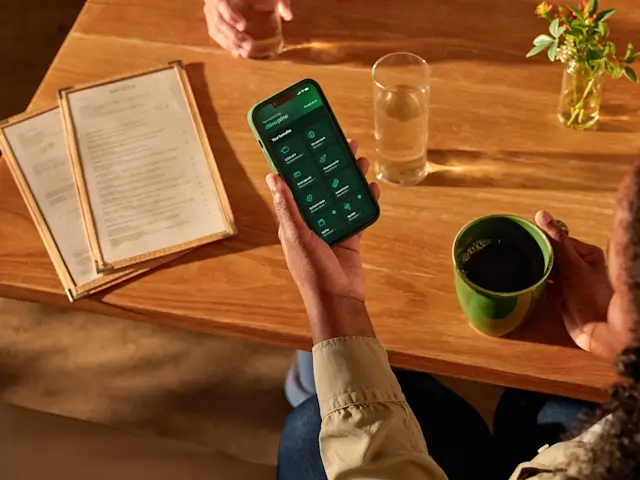
The Chime app makes it easy to locate the closest fee-free ATM in just a few taps. Follow these steps to find one near you.
- Open the Chime app and tap the Move tab at the bottom of your screen.
- Select Cash Map to see a map of nearby fee-free ATMs and cash back locations.
- Use the filter options to narrow results. You can filter by ATM withdrawals, cash back locations, or Walgreens only if you need to make a deposit.
- Tap any location on the map to see the address, hours, and available services.
Using Chime’s online ATM finder
If you don’t have the app handy, you can use the Chime ATM Finder on the web. Visit chime.com/atms and enter your address, city, or ZIP code to see nearby in-network ATMs. The online finder shows the same locations available in the app, so you can plan ahead before you leave home.
Chime ATM withdrawal limits and daily caps
When you use a fee-free in-network ATM, the standard withdrawal limit is $515 per transaction. Your daily ATM withdrawal limit may vary, so check the Chime app for your specific cap.
If you need more cash than your ATM limit allows, you can request cash back at checkout when shopping at participating retailers like grocery and convenience stores.
You can also make multiple smaller withdrawals across different in-network ATMs throughout the day, as long as you stay within your daily limit. Planning ahead can help you access the cash you need without running into restrictions.
How to withdraw money from Chime without a card
Chime does not currently offer cardless ATM withdrawals. You need your physical Chime card to make withdrawals at any ATM. If you’ve lost or misplaced your card, you can request a replacement through the Chime app.
While you wait for a new card, you can still access your money by using a peer-to-peer payment app linked to your Chime account or by transferring funds to another account. Getting cash back at a retailer checkout is another option if your card is still active for in-store purchases.
Make the most of your Chime ATM access
With a nationwide network of fee-free ATMs1 and 85,000+ cash back locations, Chime members can access their money at convenient locations across the country. Whether you’re stopping at a Walgreens, grabbing something at Target, or filling up at Circle K, there’s likely a fee-free ATM nearby.
The Chime app and online ATM Finder make it simple to plan ahead and avoid unnecessary fees. Pair that with features like early direct deposit4 and the secured Chime Visa® Credit Card5, and you’ve got the tools to stay on track with your financial progress.
Frequently Asked Questions
What ATMs are fee-free with Chime?
Any ATM in-network for Chime is fee-free¹ for cash withdrawals and balance checks. You can find ATMs for Chime through the app or website, but you can also identify them by signage and network listings on the machines themselves, or by the Chime logo.
All Allpoint ATMs are available to Chime members for fee-free transactions, as well as MoneyPass ATMs in a 7-Eleven. Typically, these ATMs will feature the MoneyPass or Allpoint logos on their signage.
Where can I deposit cash for Chime?
You can deposit cash fee-free at thousands of Walgreens and Duane Reade locations. Other retailers like Walmart, CVS, and 7-Eleven also accept deposits, though fees may apply at some locations.
How much can you withdraw from a Chime ATM?
The standard withdrawal limit at in-network ATMs is $515 per transaction. Your daily limit may vary, so check the Chime app for details.
What banks are associated with Chime?
Chime is a financial technology company, not a bank. Chime partners with The Bancorp Bank, N.A. and Stride Bank, N.A., both Members FDIC, to provide banking services.
What do I do if I'm accidentally charged an ATM fee?
If you believe you were charged an ATM fee accidentally, please wait a few minutes to ensure it does not get reimbursed automatically. If it’s still not reimbursed within 5 minutes of the ATM withdrawal, message us through the Chime app. Note: we can only reimburse the $2.50 out-of-network fee, not a terminal fee charged by the ATM.
Find out how to contact Chime customer support with any issues with your account. We’re always happy to assist in reversing fees if they were applied to your account incorrectly.